Chrome Screenshot Extension Overview
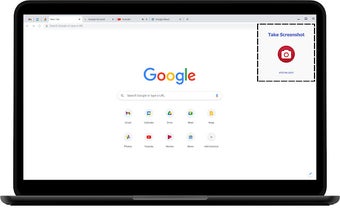
Chrome Screenshot Extension allows users to instantly save their current Chrome tab as a PNG image with a single click. This user-friendly tool is designed for quick and easy tab screenshot saving. Whether users need to capture important information, save a webpage for offline viewing, or share a screenshot with others, this extension offers a convenient solution.
Key Features:
- One-Click Screenshot: Easily capture the visible area of the current tab with a single click.
- Save as PNG: High-quality image saving directly to the device.
- Easy to Use: Simple and intuitive interface suitable for users of all skill levels.
- Quick Access Links: Open new tabs to frequently visited websites directly from the extension.
To use Chrome Screenshot Extension, simply install it from the Chrome Web Store, click the extension icon in the toolbar, and press the “Camera Icon” button to save the visible part of the tab as a PNG image. Access quick links for convenient browsing.